The short answer
Most Checkatrade memberships run for a fixed 12 months and renew automatically. You can only cancel in your renewal window, which opens about a month before your renewal date, and Checkatrade says you must speak to a member of its team to do it. Replying to the renewal email or cancelling your Direct Debit does not end the contract.
Companies in this guide
On this page
How the term and renewal work
According to Checkatrade's cancellation help page (opens in a new tab), most memberships run on a fixed 12-month term, and the terms you agreed when you joined are generally binding. You can't normally cancel part way through. Checked October 2026
The membership then renews automatically for another 12 months unless you tell Checkatrade you want to cancel during your renewal window.
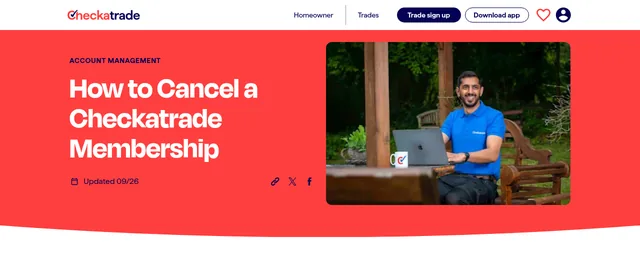 (opens the page in a new tab)
The renewal window
The renewal window opens about one month before your renewal date. Checkatrade says it sends reminders by email, SMS and app notification at the start of the window, halfway through and one week before it closes. Its renewals page (opens in a new tab) puts those at roughly 35, 14 and 7 days before renewal.
- About 35 days before
Window opens, first reminder
This is your cue. Decide whether you're staying.
- About 14 days before
Second reminder
If you're leaving, make contact now rather than at the last minute.
- About 7 days before
Final reminder
Last chance. Check your junk folder if you haven't seen the reminders.
- Renewal date
Renews for 12 months
If Checkatrade hasn't processed a cancellation, a new 12-month term starts and charges apply.
What doesn't cancel it
| What you do | Does it cancel? | What Checkatrade says |
|---|---|---|
| Reply to the renewal email or text | No | Replying won't cancel your membership. |
| Cancel your Direct Debit | No | Your profile is hidden from searches, but charges continue until the membership is formally cancelled. |
| Ask to leave mid-term | Not usually | Memberships usually can't be cancelled part way through the 12 months. |
| Speak to its team in the renewal window | Yes | This is the formal way to cancel before the next term. |
Checkatrade also says that other products, such as sponsored listings, directories and trade priority cards, aren't linked to your core membership and have their own cancellation terms. Check each one separately.
How to cancel, step by step
Find your renewal date
Look in Checkatrade's renewal emails and your invoices. Write the date down, along with the date the window opens a month before.
List everything you pay for
Note your core membership and any extras, such as sponsored listings or directories, because these cancel separately.
Save your own records
Keep copies of your job photos and a list of the customers you've worked for, so you can ask them for reviews elsewhere.
Contact Checkatrade inside the window
Checkatrade's help page says you must speak to a member of its team to cancel. The contact details are in your renewal emails.
Get it confirmed in writing
Ask for an email confirming the cancellation and the date your membership ends. Keep it.
Then deal with the Direct Debit
Once cancellation is confirmed and any final amount due is paid, you can cancel the Direct Debit with your bank.
What happens after you leave
Checkatrade says that when you cancel, your profile is removed from public listings on your renewal date, and you no longer appear in searches or receive leads. If you rejoin later, only a limited number of your previous reviews may be republished on your new profile.
That's the real cost of leaving any directory: the reputation you built there mostly stays there. Before your end date, make sure customers can still find you somewhere you control.
Leaving checklist
- Renewal date and window written down
- Every Checkatrade product listed, with its own cancellation terms
- Job photos and customer list saved
- Cancellation made inside the window, and confirmed by email
- Direct Debit cancelled only after confirmation
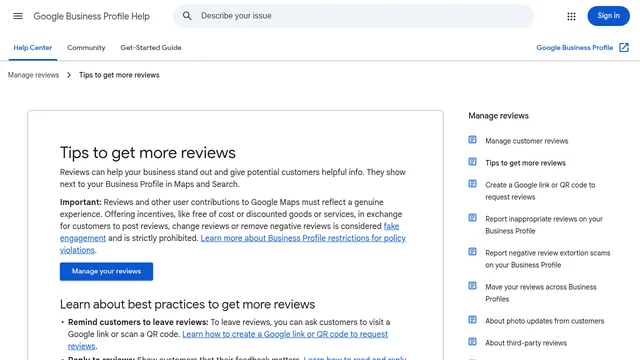
- A Google Business Profile with a review link ready to share (see getting Google reviews)
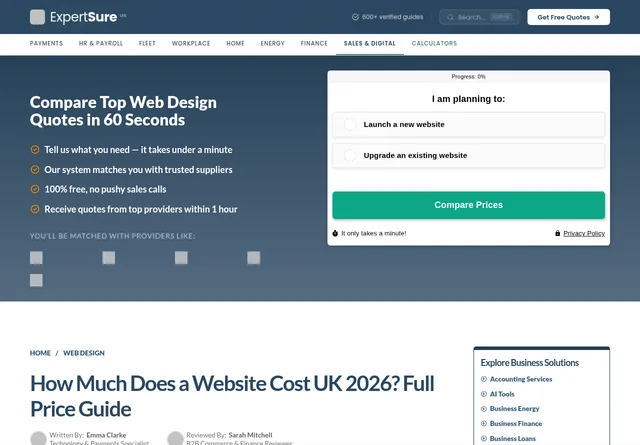
- A website where customers can see your work and send an enquiry (see what a website costs)
Still deciding whether to stay? How much Checkatrade costs includes a calculator for your cost per job won.
Questions and answers
Can I cancel Checkatrade at any time?
Not usually. Checkatrade says memberships normally run for a fixed 12-month term, so you can't cancel part way through. You can stop it renewing by cancelling during the renewal window, the month before your renewal date.
Does cancelling my Direct Debit cancel Checkatrade?
No. Checkatrade says cancelling your Direct Debit doesn't cancel your membership or what you owe for the term, and your profile is hidden from searches as soon as it is notified.
Can I cancel Checkatrade by email?
Checkatrade's help page says replying to the renewal email will not cancel your membership and that you need to speak to a member of its team. It's still worth asking for written confirmation by email once you've cancelled.
What happens if I miss the renewal window?
Checkatrade says the membership renews automatically for another 12-month term, and charges apply for the new term in line with your agreement.
What happens to my reviews if I leave Checkatrade?
Your profile is removed from public listings on your renewal date. Checkatrade says that if you rejoin later, only a limited number of your previous reviews may be republished.
Sources
Every figure in this guide comes from the sources below, checked in October 2026. Prices and terms change, so check the company's own page before you sign up or cancel anything. This guide is general information, not financial, legal or tax advice.
- Checkatrade support: How to cancel a Checkatrade membership (opens in a new tab)
- Checkatrade support: Membership renewals (opens in a new tab)
- Checkatrade support: Getting paid through Checkatrade (Direct Debit note) (opens in a new tab)
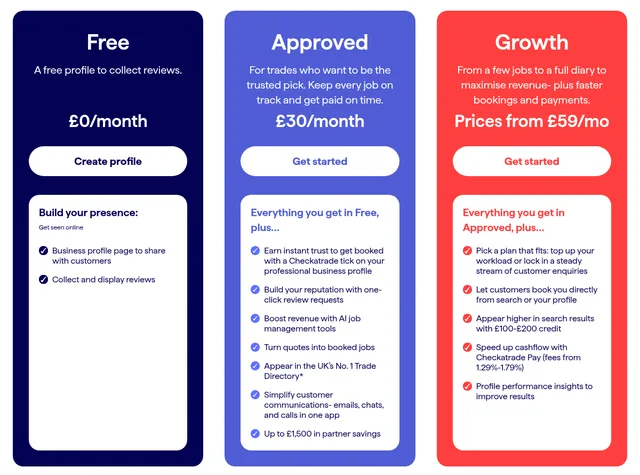
- Checkatrade: pricing page (join.checkatrade.com/pricing) (opens in a new tab)
Toolbox Boost isn't connected to, paid by or endorsed by any company named in this guide. Logos and screenshots belong to their owners and are shown for identification and comparison. Spotted something out of date? Email admin@toolboxboost.com and we'll check it.