The short answer
Ask every customer, at the end of every job, with a direct link to your Google review form. Google's own advice is to share a review link or QR code, reply to reviews and value honest feedback. Don't offer anything in return: Google prohibits incentives, and since 6 April 2025 UK law has banned fake reviews and reviews with hidden incentives.
Companies in this guide
On this page
Why Google reviews matter
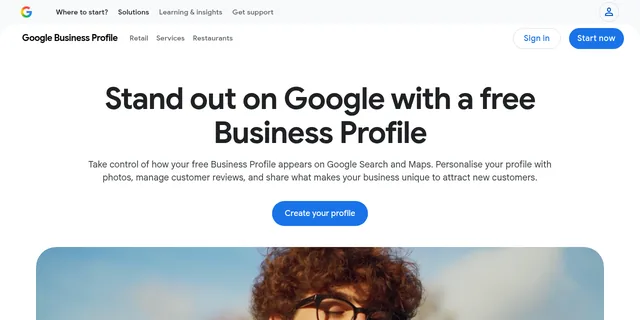
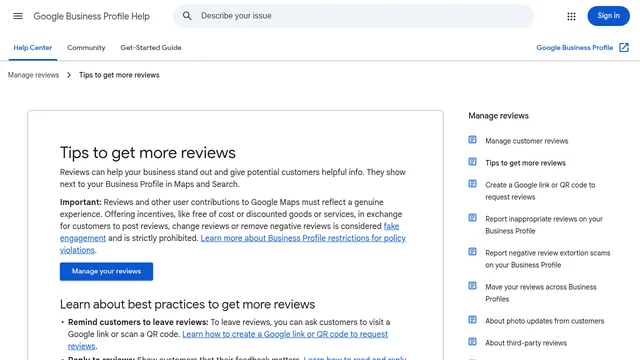
Google says reviews show next to your Business Profile (opens in a new tab) in Maps and Search, and help your business stand out and give potential customers helpful information. When someone searches for a trade near them, your star rating and the number of reviews are among the first things they see, before they ever reach your website. Checked October 2026
Unlike reviews on a lead site, Google reviews stay with your Business Profile whatever you decide about paid platforms.
 (opens the page in a new tab)
Get your review link and QR code
Google's advice is to ask customers to visit a Google link or scan a QR code that opens the review form for your business.
Sign in and open your Business Profile
Use the Google Account that manages your profile, then search for your business name on Google or open it in Google Maps.
Find the option to ask for reviews
Google gives you a short link and a QR code. The wording on the button changes from time to time, so look for asking for or getting more reviews.
Save the link everywhere you'll need it
On your phone as a text shortcut, in your email signature, on invoices and on your website.
Print the QR code
On business cards, a card you leave with the customer when the job is done, or a sticker inside your van door.
 (opens the page in a new tab)
A simple system for every job
Finish the job
Walk the customer round the finished work.
Send your link
The same day, while it's fresh.
They review
One tap from your link to the form.
You reply
Thank them, or put things right.
Show it off
On your website and quotes.
The biggest difference comes from asking every time, at the right moment. Most people are happy to help a tradesperson they liked; they just need the link in front of them while the job is fresh. If you haven't heard back after a few days, one polite reminder is fine. Then leave it.
Messages you can send
Copy these and change the details in square brackets. Keep the message short and make the link the obvious next step.
Same day
Hi [name], thanks again for having us to do your [job] today. If you're happy with the work, a quick Google review would really help a small business like ours: [your review link]. Thanks, [your name]
Same day, with photos
Hi [name], thank you for choosing [business name] for your [job]. I've attached a couple of photos of the finished work for your records. If you have a minute, we'd really appreciate a Google review. It only takes a moment, and this link takes you straight there: [your review link]. Any questions about the work, just reply to this email. Thanks, [your name]
One reminder, a few days later
Hi [name], just a quick reminder in case it got buried. If you've got a moment, here's the link for a Google review: [your review link]. No worries if not, and thanks again. [your name]
Replying to reviews
Google's tips for replies, in short:
Do
- Keep replies short, polite and professional
- Reply when you have something useful to add
- Explain what you can and can't do, and apologise if needed
- Sign with your name or initials
- Reply in good time, especially to negative reviews
Don't
- Share the reviewer's private details
- Attack the reviewer personally
- Use replies to push offers or promotions
- Take the blame for things outside your control
If you believe a review breaks Google's content policies, you can flag it for Google to look at. For everything else, a calm, helpful reply is read by every future customer who sees it.
The rules you mustn't break
- Don't offer anything in return for a review, change of review or removal of a bad one. Google calls this fake engagement (opens in a new tab) and strictly prohibits it.
- Don't ask only happy customers, and don't discourage negative reviews
- Don't write reviews for yourself, or ask friends and family to review work they didn't pay for
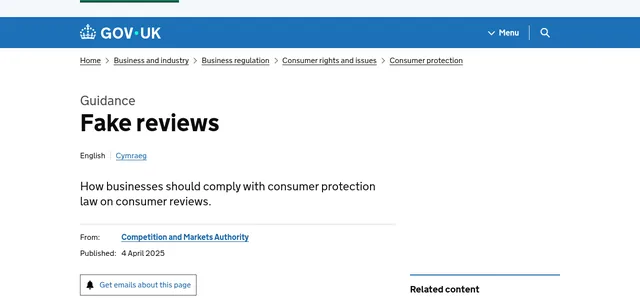
- Don't buy reviews. Since 6 April 2025, UK law has banned fake reviews and reviews that hide an incentive (CMA guidance (opens in a new tab))
- Don't put pressure on customers. A link and one reminder is plenty
Breaking these rules can lead to reviews being removed and restrictions on your Business Profile, and in the UK, enforcement by the Competition and Markets Authority.
Once the reviews are coming in, put them to work: show them on your website next to photos of the jobs. See our work for examples, or read what a website costs.
 (opens the page in a new tab)
Questions and answers
How do I get my Google review link?
Open your Business Profile on Google Search or Maps while signed in and look for the option to ask for reviews. Google gives you a short link and a QR code that open the review form for your business.
Can I offer a discount for a Google review?
No. Google says offering incentives such as free or discounted goods or services in exchange for reviews is fake engagement and strictly prohibited. UK law also bans reviews with hidden incentives.
Can I ask only happy customers for a review?
No. Google's policy doesn't allow businesses to selectively ask for positive reviews or to discourage negative ones. Ask every customer in the same way.
Does a customer need a Gmail account to leave a review?
They need a Google Account, but Google says they can set one up with a non-Gmail email address.
Should I reply to every Google review?
Reply when you have something useful to add, and always to negative reviews. Keep replies short, polite and professional, and never share the reviewer's private details.
Sources
Every figure in this guide comes from the sources below, checked in October 2026. Prices and terms change, so check the company's own page before you sign up or cancel anything. This guide is general information, not financial, legal or tax advice.
- Google Business Profile Help: Tips to get more reviews (opens in a new tab)
- Google Maps: Prohibited and restricted content (fake engagement) (opens in a new tab)
- CMA: Fake reviews guidance (CMA208) (opens in a new tab)
Toolbox Boost isn't connected to, paid by or endorsed by any company named in this guide. Logos and screenshots belong to their owners and are shown for identification and comparison. Spotted something out of date? Email admin@toolboxboost.com and we'll check it.